Second Password is a feature in the Crafting section after the Item Re:boot update, it was implemented in order to prevent the disassembly of permanent weapons by account hijackers or other people who know the account's login info.
Overview
As players are now able to disassemble any permanent weapon, this feature provides security layer to prevent any unauthorized disassembly/decomposition of such items.
Creating Second Password
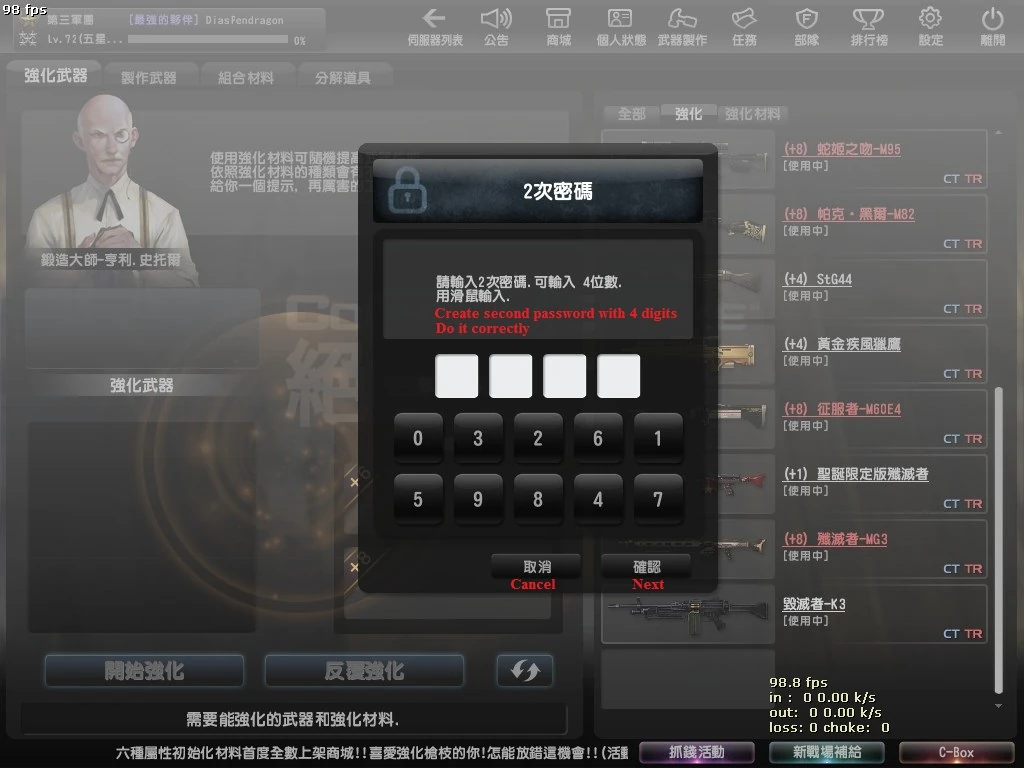

Second Password Creation
1. When you open the Craft section, you'll see a "Second Password Creation required" dialog. (First Picture)

Confirm Second Password
2. Input your desired password and click Next, you will be asked to introduce again the password for confirmation; click Next to proceed to the last step. (Second Picture)

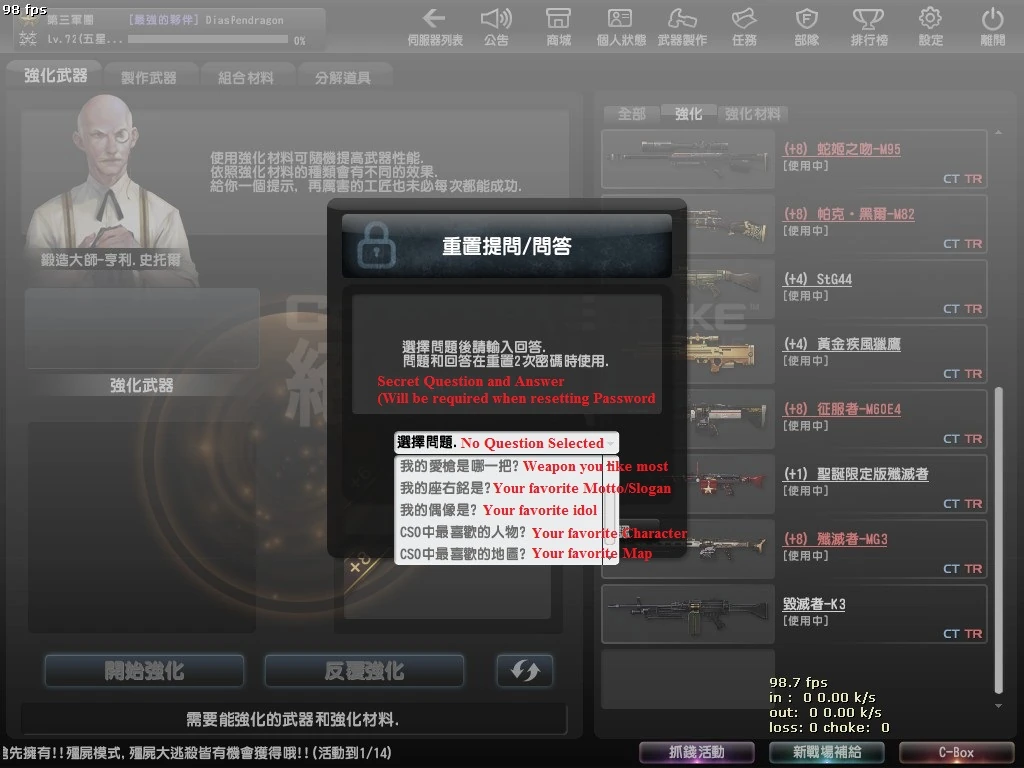
Security Question
3. Finally, you need to create a Security Question and Answer (In order to reset your password, if you forget it). Select the question and type the answer, then click OK -> END. (Third Picture)
*The password can be changed, but the Secret Question CAN'T be changed, so be careful.
Secret Questions
| Number | Question |
|---|---|
| 1 | Your favorite Weapon |
| 2 | Your favorite Motto/Slogan |
| 3 | Your favorite Idol |
| 4 | Your favorite Character |
| 5 | Your favorite Map |
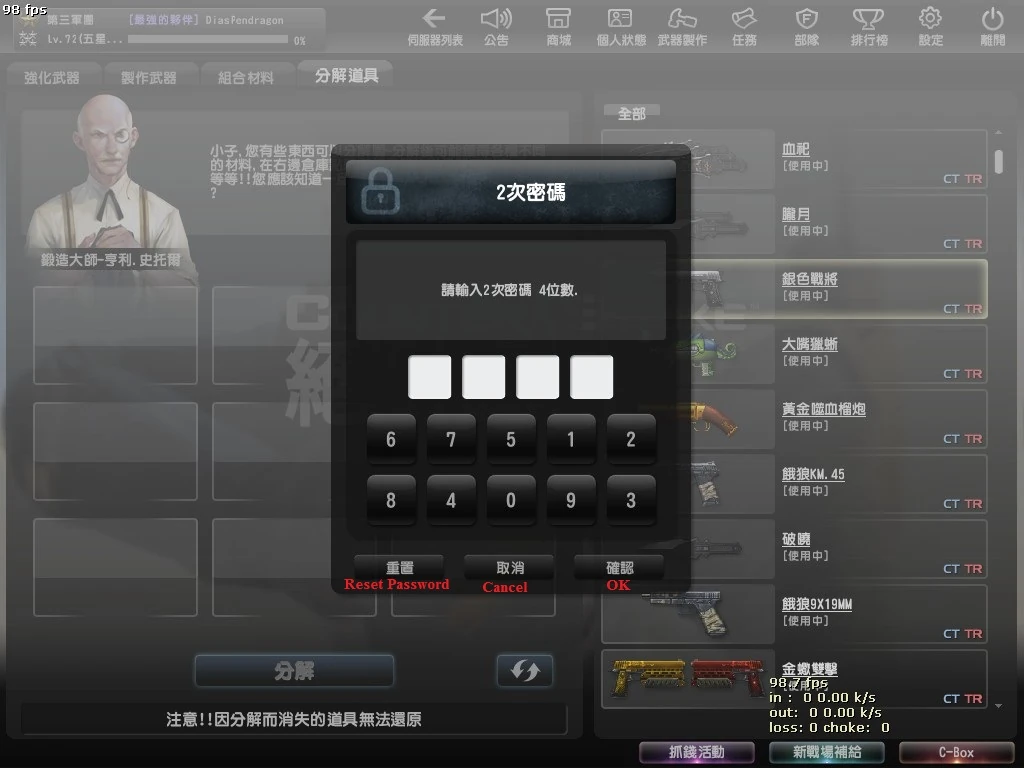
Resetting Second Password
Just click the Reset Password button, and answer the Secret Question you selected before. Now you will be able to change your current password. Once again, changing the secret question is NOT possible.
Gallery
